


When it comes to sending holiday cheer, the front of your Christmas card often steals the spotlight. But don’t forget—the back of your card is another perfect opportunity to share your memories, add festive flair, and make your holiday greetings even more personal. At Shutterfly, customizing the back of your Christmas or holiday cards is simple, fun, and a chance to get extra creative.

Why the Back of Your Christmas Card Matters
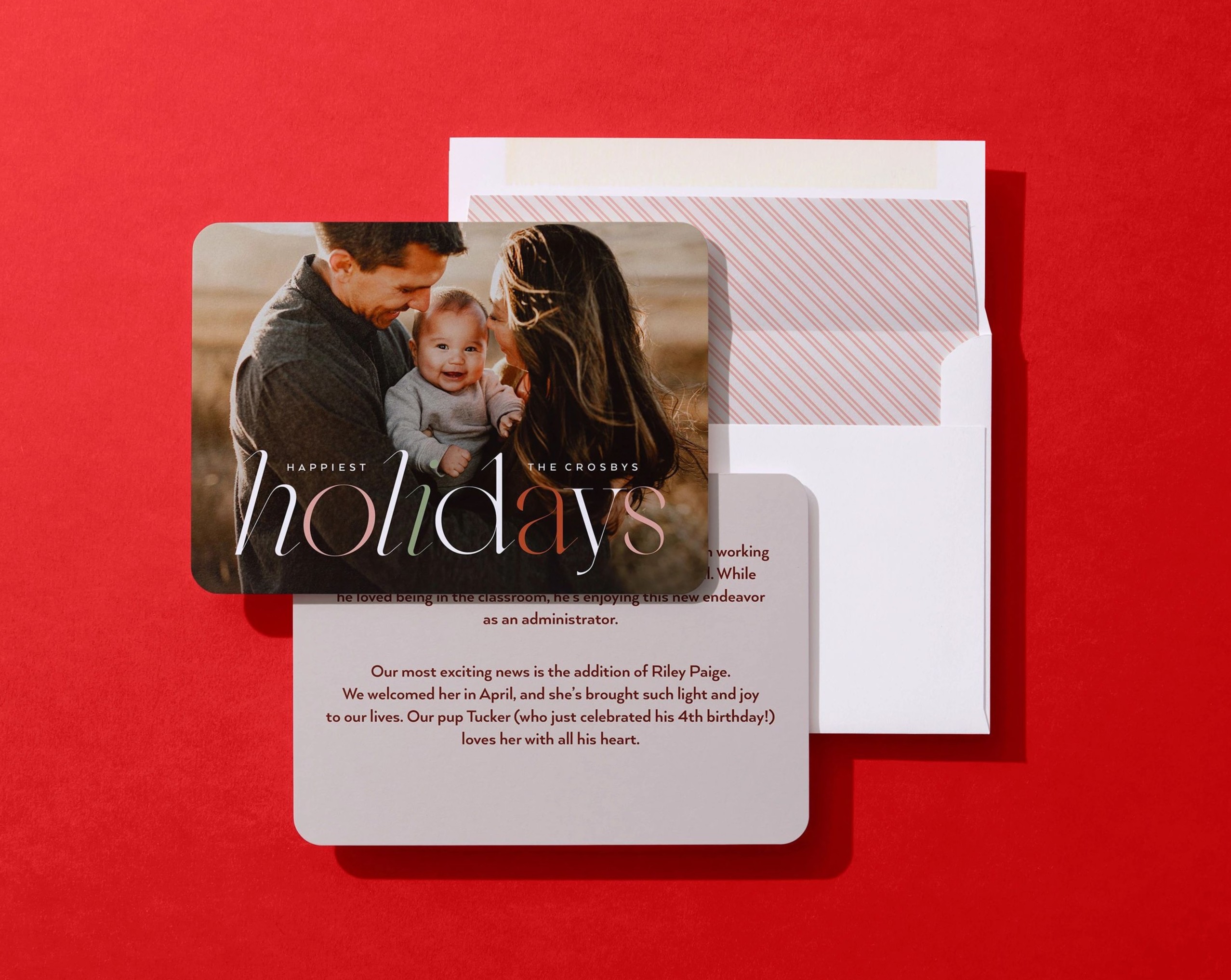
Adding a personal touch to the back of your card gives you more room to tell your story. Maybe you want to include a family photo, share a longer holiday card message, or simply add a festive design that complements the front. A well-designed back can make your card feel complete, memorable, and uniquely yours.
How to Customize the Back of Your Christmas Card
From choosing a festive background to adding photos and messages, we’ll walk you through how to customize the back of your Christmas card in just a few clicks.
1: Start With Your Card Design Template
Begin by choosing your favorite holiday card design from our collection. Once you’ve selected it, personalize the front with your photos, greeting, colors, and any special touches you love.
2: Switch to Back-of-Card Customization
When the front feels just right, click to edit the back of your card. This is where you can add even more personality and holiday cheer.
3: Choose Your Background
Browse our collection of festive background options — from classic winter patterns and elegant metallic-inspired looks to simple solids and modern textures. Select a style that complements your card front and matches your holiday vibe.
4: Select a Layout
Next, choose from preset back layouts. You’ll see options for full-photo backs, photo collages, text-only designs, or simple backgrounds with no text or images. Pick the structure that fits how you want to share your story.
5: Add Your Photos (Optional)
If your layout includes photo spaces, drop in your favorite pictures. Whether it’s a single portrait, candid family moments, or snapshots from throughout the year, your photos bring your card to life.
6. Add a Message (Optional)
If your layout includes text, add a heartfelt note, family update, or holiday wish. Need help writing? Click inside the text box to use Magic Writer — it can help you create or refine your message and fit it perfectly in the space provided. Get inspired with our guide on Christmas Card Wishes.
7. Review & Order
Take one final look to make sure everything feels festive and polished. Then head to checkout — and don’t forget, Shutterfly offers free recipient address printing and an optional Mail For Me service, so you can send your cards straight to loved ones without lifting a pen or stamp.
Back-of-Card Design Ideas

Don’t let the back of your Christmas card go to waste — it’s the perfect spot to add a little more joy. Whether it’s a favorite family photo, a quick life update, or a sweet message, this small space can leave a big impression.
1. Share a Family Update
Use a text-focused layout to write a short year-in-review — new jobs, moves, school milestones, or exciting moments from the past year. It’s a thoughtful way to keep friends and family in the loop.
2. Add a Favorite Family Photo
Pick a simple full-photo or single-photo layout to highlight one special picture — like a cozy winter family portrait, a laughing candid moment, or a shot from a fun trip.
3. Include Photos That Didn’t Fit on the Front
Use a collage layout to showcase the “extras” — pets, silly outtakes, seasonal snapshots, or memorable everyday moments. This is where the personality shines.
4. Spotlight the Kids (or Pets!)
Give each kid or furry friend their own photo spot. Think: first-day-of-school portrait, sports moment, holiday sweater pet photo, or a sweet baby milestone.
5. Add a Holiday Greeting or Blessing
Choose a text box layout to include a short blessing, quote, or warm holiday message that complements the front greeting.
6. Share a Big Moment From the Year
Use one large photo or a photo + text layout to highlight something meaningful — a wedding, graduation, a new baby, a move, or an engagement.
7. Show a Travel Highlight
If you took a special trip this year, add a couple of your favorite vacation photos as part of a collage. It’s a cheerful way to relive great memories.
8. Include a Black-and-White Photo for a Classic Look
Opt for a single black-and-white photo on a simple background for a timeless, elegant finish.
9. Add a Fun “Blooper” or Candid Shot
Have a photo where the kids are laughing, the dog jumped in, or the tree fell over? Add it to the back for personality that makes your card feel real and joyful.
10. Write a Short Hand-Signed Style Note
Even with printed text, you can add a short message like “With love, the Ramirez Family” or “Hope to see you in the New Year!” for a personal touch.
Make the Back of Your Christmas Card as Special as the Front
Customizing the back of your Christmas card is a chance to show off your creativity and make your holiday greetings feel complete. Whether you want to include extra photos, a heartfelt message, or a festive design, Shutterfly makes it easy to create a card that truly represents your family and your holiday spirit. Start designing today, and make both sides of your card shine this holiday season!
Additional Resources:


